
Latest Version
klaetke
Travel & Local
Windows
9.99
9nqbrk6wgm8v
Report a Problem
More About Project Planner
Streamline Your Workflows with Project Planner
Picture this: you are working on a critical business proposal during a cross-country flight, completely cut off from the internet. Your team needs updated workflows the moment you touch down, but your cloud-based tools won't load. This is where a reliable, local desktop application becomes your greatest asset. The Project Planner task management app for Windows is designed specifically for professionals who need uninterrupted access to their organizational boards without relying on a constant web connection.
Developed by klaetke, this lightweight utility brings structure to chaotic schedules. By storing your data locally, it ensures your sensitive project timelines remain private and incredibly fast to access.
Key Features of the Project Planner Task Management App
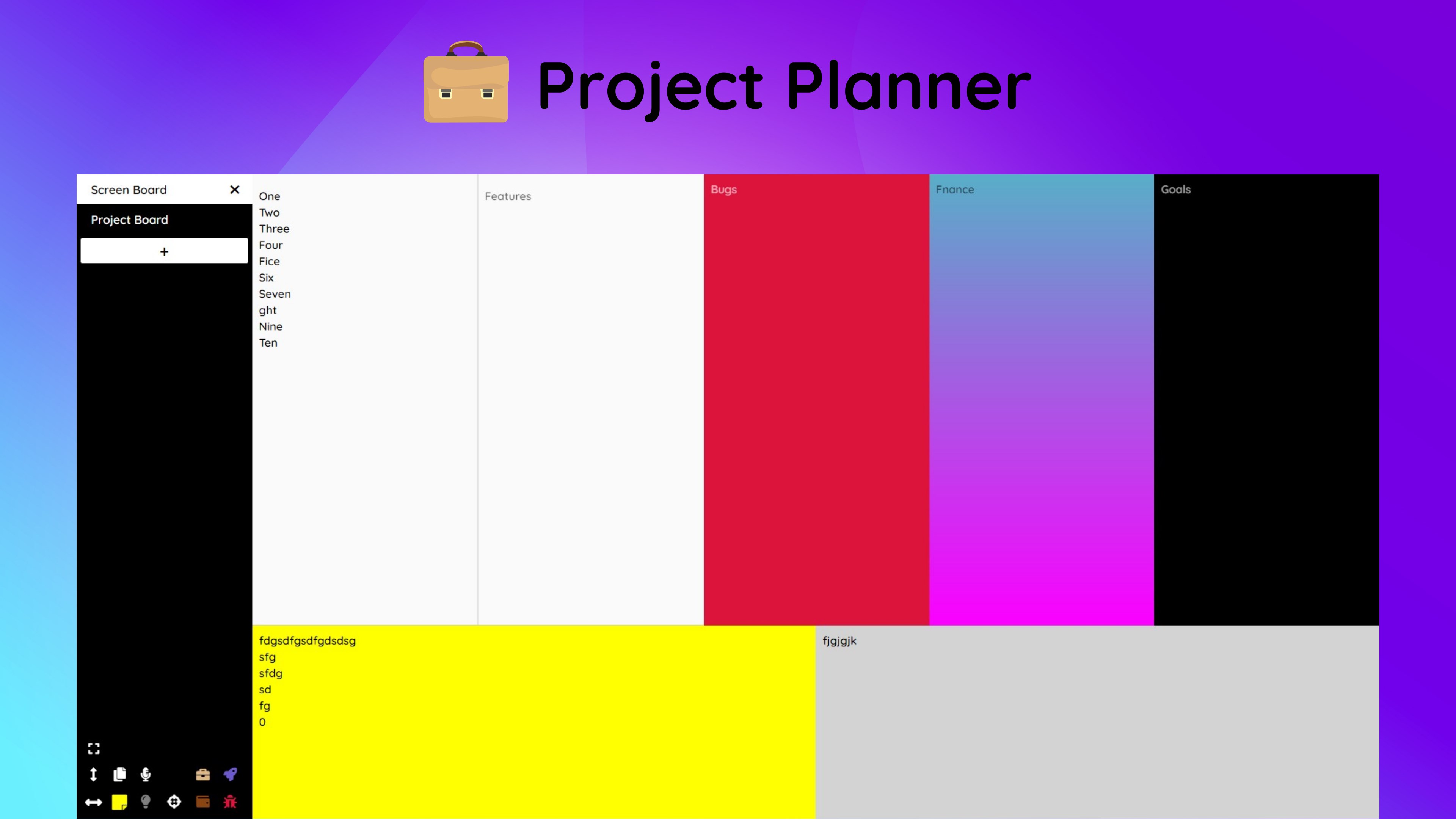
- Expansive Project Capacity: Organize and track over 100 distinct projects simultaneously without experiencing performance lag.
- Rapid Auto-Saving: Never lose your progress. The application features a fast autosave function that continuously secures your updates.
- 7 Specialized Project Boards: Categorize your objectives across seven distinct visual boards to keep different departments or life goals separated.
- Immersive Fullscreen Mode: Eliminate desktop distractions and focus entirely on your timeline with a clean, borderless interface.
- True Offline Capability: Work from anywhere. Since the software utilizes local storage, you do not need an active internet connection to manage your tasks.
Who Is This Tool Designed For?
The Project Planner task management system is highly suited for freelance developers, writers, and corporate project managers who prefer a distraction-free, localized environment. Unlike modern SaaS platforms that require monthly subscriptions and constant connectivity, this Windows application offers a straightforward, offline-first approach to keeping your deliverables on schedule.
Final Verdict
If you value data privacy, speed, and offline reliability over complex cloud integrations, this software provides an excellent, streamlined workspace. To explore its features further or to add it to your productivity toolkit, visit the official Microsoft Store page to learn more about this Windows utility.
Rate the App
User Reviews













Popular Apps










Editor's Choice